🔍 Select your exam to see the exact size
Why this trips up so many candidates
Each exam authority in India sets its own rules: SSC wants a tight 20–50 KB photo, UPSC is far more relaxed at up to 300 KB, and IBPS asks for oddly specific pixel dimensions that don't match what your phone camera produces by default. The information isn't really hard to find — it's just scattered across dozens of notifications, each written in slightly different units (KB vs pixels vs centimetres), and candidates often only discover the exact requirement after their first upload attempt already fails.
That first failed attempt matters more than it seems, because many portals lock the upload field for a few minutes after a rejected file, or force you to re-select the document type from scratch — eating into time when the application window might close in hours. This is especially stressful for candidates applying to more than one exam in the same season, which is extremely common during peak recruitment months. A single passport-style photo taken for one board's specifications almost never fits another board's pixel grid without a redo.
Sign on plain paper first, scan second
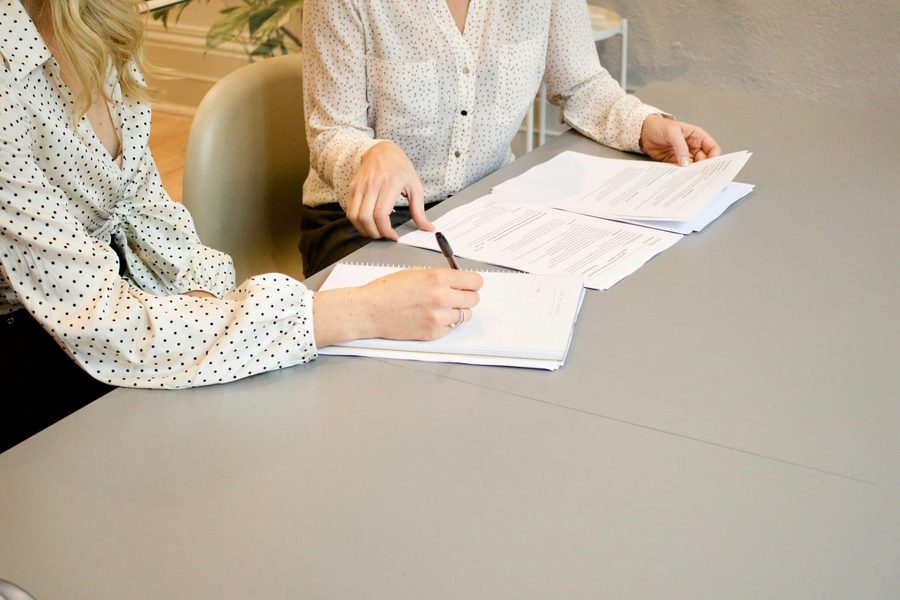
Sign with black or blue ink on a clean white sheet, photograph it in good, even light, then crop tightly before resizing. Doing the steps in this order avoids the smudged, tilted, or shadow-heavy signatures that most often get flagged during physical verification.
Common reasons applications get sent back
Plain white background
No shadows or patterned walls — nearly every board rejects colour or textured backgrounds.
Exact pixel dimensions
Being under the KB limit isn't enough — width and height must match the stated grid too.
Running-hand signature
Cursive, connected handwriting is required — block or capital letters are a common rejection reason.
Recent photo only
Some boards require the photo be taken after a specific date in the notification year.
Wrong file format
JPG/JPEG is almost universal — PNG, BMP, or a screenshot saved as PDF is usually rejected.
Face coverage and angle
Sunglasses, caps, and side angles are rejected; most want a straight-on shot, face filling 70–80%.
Step-by-step: getting it right on the first try
Read the exact notification, not a summary article
Guides like this one are a fast reference, but the specific PDF for your session is the final authority — limits do get revised between sessions.
Prepare photo and signature as two separate files
Never crop them out of a single combined scan; most portals enforce different rules for each.
Crop to the required pixel dimensions first
Resize to the exact width and height before touching any compression setting.
Compress in small steps toward the limit
Reduce quality gradually and check the resulting KB after each step.
Keep a slightly-under-limit backup copy
Save one version a little below the maximum KB in case the portal's check is stricter than published.
Preview at full zoom before final submission
Confirm both face and signature are clearly readable, then do a test upload well before the deadline rush.
Quick comparison — 2026 requirements
| Exam | Photo size | Photo dimensions | Signature size |
|---|---|---|---|
| UPSC | 20–300 KB | Passport size (flexible) | 20–300 KB (triple signature from 2026) |
| SSC CGL / CHSL | 20–50 KB | 200 × 230 px | 10–20 KB, 140 × 60 px |
| IBPS PO / Clerk | 20–50 KB | 200 × 230 px | 10–20 KB, 140 × 60 px |
| SBI PO / Clerk | 20–50 KB | 200 × 230 px | 10–20 KB, 140 × 60 px |
| NEET UG | 10–200 KB | Passport size, 80% face visible | Included in photo upload guidelines |
| JEE Main | 10–200/300 KB | 3.5 cm × 4.5 cm | 10–100 KB |
| Railway RRB | 20–50 KB (typical) | 200 × 230 px (typical) | 10–40 KB (typical) |
| State PSC (general) | 20–50 KB (varies) | Check state notification | 10–30 KB (varies) |
Always cross-check against your own exam's official notification — boards occasionally revise limits between sessions, and Railway/State PSC figures above are typical ranges rather than a single fixed rule.
Who runs into this problem most often
- First-time applicants — often don't realise KB and pixel limits are two separate checks.
- Multiple-exam candidates — applying to SSC, IBPS and a state PSC in the same season means resizing the same photo three or four different ways.
- Working professionals — reapplying years later with only an old passport photo that no longer meets current specs.
- Candidates near the deadline — discovering the exact requirement only hours before the form closes.
- Rural and mobile-first applicants — filling the form entirely from a phone, where a lightweight browser tool is the realistic option.
Get your photo and signature to the exact size
Crop to the right dimensions and hit any KB target — right in your browser, no signup.
Open Passport Photo Maker →Before you submit
None of this is complicated once you've done it once — the difficulty is almost always in the first attempt, when the notification's wording is unfamiliar and deadline pressure makes it tempting to upload whatever file is on hand. Boards rarely explain a rejection in plain language, so a candidate who gets stuck often assumes something is wrong with the photo itself, when it's usually one small, fixable mismatch in size, dimension, or format.
The most reliable habit is to separate the two problems: get the pixel dimensions exactly right first, then treat compression as a second, independent step. Once you have a photo and signature that match your target exam's numbers exactly, keep both files somewhere easy to find — you'll likely need the same specifications again for a correction window or a related exam later in the season.
Frequently Asked Questions
What is the safest photo size if my exam notice doesn't mention KB clearly?
Aim for 30–50 KB and 200×230 px. This middle-ground range is accepted by the widest number of Indian exam portals, including SSC, IBPS and SBI, and rarely triggers an upload error even on older application systems.
Why does my photo keep getting rejected even though it looks fine to me?
Most rejections happen when the file size is technically within limit but the pixel dimensions don't match, or the background isn't plain white. Portals check both the KB range and the exact width and height together.
Can I use the same photo for multiple exams?
Only if the dimensions and KB range happen to match, which is uncommon. Since each board specifies different pixel sizes, it's safer to keep one clean original and resize a fresh copy for every application.
Does compressing the photo reduce its quality for verification?
Good compression targets file size while keeping facial features clear. Aggressive resizing without quality control can blur the face, which risks rejection at physical verification even if the upload itself succeeds.
Is a scanned signature required, or can I use a digital one?
Almost every board requires a hand-signed signature in black or blue ink on white paper, scanned or photographed — typed or digitally drawn signatures are generally rejected, sometimes flagged as a rules violation.
What's the quickest way to get my photo to an exact KB range?
A compressor that shows the output size before you download is faster than guessing with quality sliders, since you can see the exact KB before submitting instead of repeated failed uploads.
What should I do if the portal rejects my file with no clear error message?
Check file size, exact pixel dimensions, and format (usually JPG/JPEG) separately. Vague rejections are almost always caused by one of these three, not the image content itself.
Do file size rules change between different sessions of the same exam?
Yes — boards like JEE Main and NEET have revised limits between sessions in the same year, so re-check the current notification rather than trusting a photo that worked last time.